



Skip to content
  • Core offerings
    Data infrastructure
    Advanced Analytics
    Advanced Visualization
    Projects, Services & Support
    • Data infrastructure
    • Advanced Analytics
    • Advanced Visualization
    • Projects, Services & Support
  • Services
    System Integration
    Software Development
    Project Management
    Consulting
    • System Integration
    • Software development
    • Project Management
    • Consulting
  • Products
    Spotlight
    Amitec energy:center energy management product box
    Energy Center
    Amitec PI Vision Suite product box
    PI Vision Suite
    Amitec WatchIT time-series data historian product box
    WatchIT
    Amitec Industrial Knowledge Graph product box
    IKG
    Amitec reVision version control product box
    reVision
    All products
    • Energy Center
    • PI Vision Suite
    • WatchIT & WatchIT Cold Storage
    • All products
  • References
    • Industries
    • Partners
    • Stories
    • News
    • Guides
  • Company
    • About us
    • Career
    • Contact
    • Locations
Amitec logo

Guides

  • AVEVA PI Vision guide: features, versions and licensing explained by Amitec

    AVEVA, Guides

    AVEVA PI Vision explained: features, versions and licensing

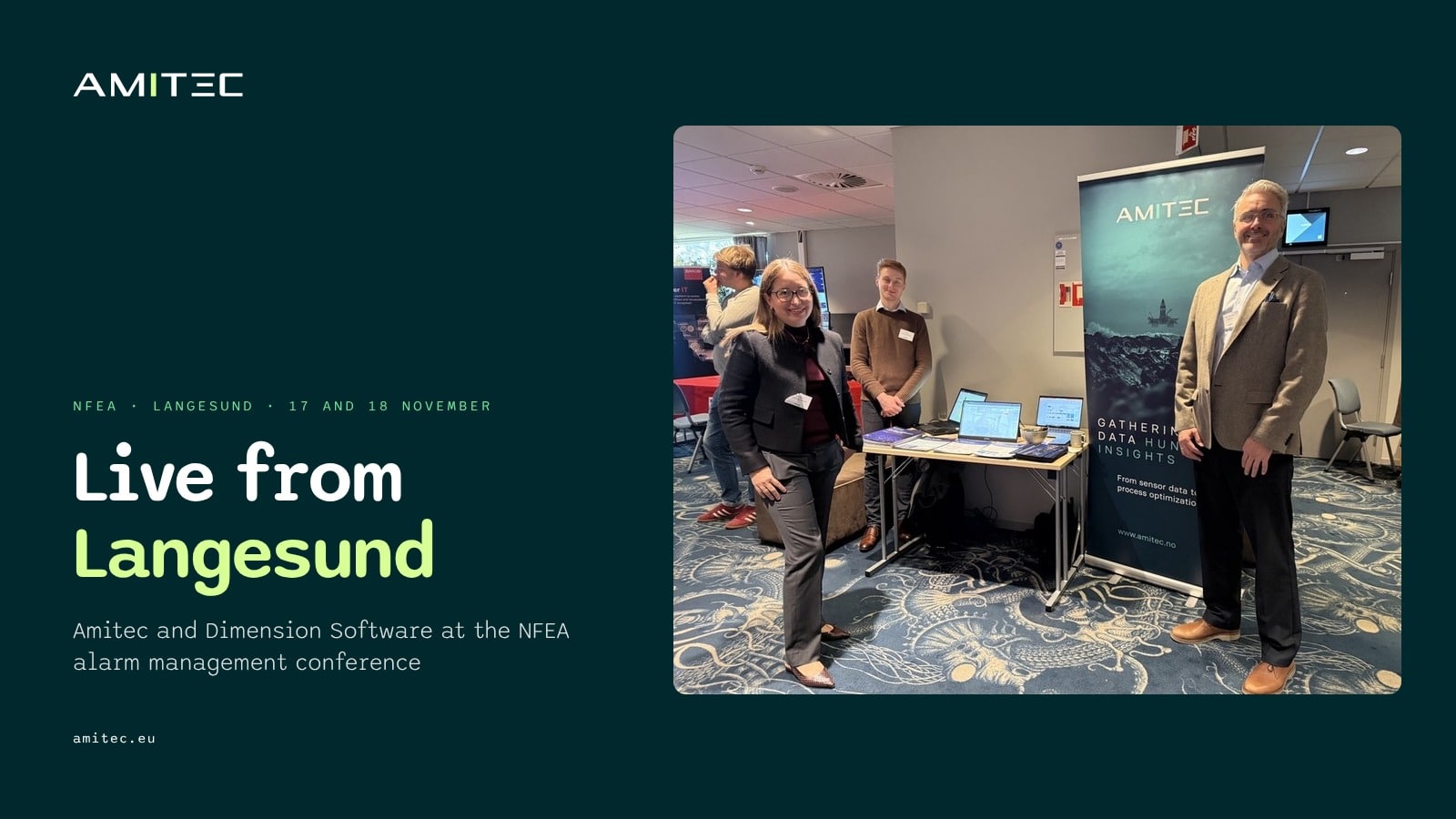
  • Live from Langesund: Amitec and Dimension Software at the NFEA alarm management conference

    Events, News

    Live from Langesund: Amitec and Dimension Software at NFEA’s alarm management conference

  • Germany’s Energy Efficiency Act (EnEfG) and ISO 50001 energy management

    AVEVA, Guides

    Germany’s Energy Efficiency Act (EnEfG): what the ISO 50001 obligation means

  • PI Asset Framework (AF) guide: elements, templates, analyses and event frames

    AVEVA, Guides

    PI Asset Framework (AF) explained: elements, templates, analyses and event frames

  • PI Vision dashboards guide: practices for asset-based displays

    AVEVA, Guides

    PI Vision dashboards: practices for asset-based displays

  • PI Vision integration guide: URL parameters and embedding

    AVEVA, Guides

    PI Vision integration: URL parameters, embedding and links to other systems

  • PI Vision mobile guide: AVEVA PI Vision on phones and tablets

    AVEVA, Guides

    PI Vision on mobile: phones, tablets and the PI Vision app question

  • PI Vision custom symbols guide: how they work and when to use an add-on

    AVEVA, Guides

    PI Vision custom symbols: how they work and when to use an add-on

  • AVEVA PI Vision guide: features, versions and licensing explained by Amitec

    AVEVA, Guides

    AVEVA PI Vision explained: features, versions and licensing

  • Germany’s Energy Efficiency Act (EnEfG) and ISO 50001 energy management

    AVEVA, Guides

    Germany’s Energy Efficiency Act (EnEfG): what the ISO 50001 obligation means

  • ISO 50001 energy performance indicators and energy baselines on AVEVA PI data

    AVEVA, Guides

    ISO 50001 EnPIs and energy baselines on AVEVA PI data

  • Server racks in a data center

    Development, Guides

    PI ProcessBook to PI Vision migration: a practical guide

AVEVA logo
Seeq logo
Core offerings
  • Data infrastructure
  • Advanced Analytics
  • Advanced Visualization
  • Projects, Services & Support
Services
  • System Integration
  • Software development
  • Project Management
  • Consulting
Products
  • Energy Center
  • PI Vision Suite
  • WatchIT
  • reVision
  • All products
Company
  • About us
  • Career
  • Contact
  • Locations
  • Legal Notice
  • Privacy Policy
Contact info

Amitec AS
Kokstaddalen 4
5257 Kokstad, Norway

Phone: +47 55 52 78 00
Email: contact@amitec.eu

Links

© 1994–2026 · Amitec AS · All rights reserved

Page load link
Amitec logo
  • Core offerings
    • Data infrastructure
    • Advanced Analytics
    • Advanced Visualization
    • Projects, Services & Support
  • Services
    • System Integration
    • Software development
    • Project Management
    • Consulting
  • Products
    • Energy Center
    • PI Vision Suite
    • WatchIT & WatchIT Cold Storage
    • All products
  • References
    • Industries
    • Partners
    • Stories
    • News
    • Guides
  • Company
    • About us
    • Career
    • Contact
    • Locations
Phone: +47 55 52 78 00

Email: contact@amitec.eu

request a quote
imunify-bot-check
DE: Wir und ausgewählte Dritte setzen Cookies oder ähnliche Technologien für technische Zwecke ein und – mit Ihrer Einwilligung – für andere Zwecke, wie in der Cookie-Richtlinie beschrieben. Ihre Einwilligung können Sie jederzeit erteilen, verweigern oder widerrufen, indem Sie auf die Kontrollfläche zugreifen. Im Fall der Ablehnung könnten bestimmte Funktionen nicht verfügbar sein. Verwenden Sie den „Zustimmen“-Button, um dem Einsatz solcher Technologien zuzustimmen. Verwenden Sie den „Ablehnen“-Button oder schließen Sie diesen Hinweis, um fortzufahren ohne zuzustimmen. EN: We and selected third parties use cookies or similar technologies for technical purposes and, with your consent, for other purposes as specified in the cookie policy. You can freely give, deny, or withdraw your consent at any time by accessing the preferences panel. Denying consent may make related features unavailable. Use the "Accept" button to consent to the use of such technologies. Use the "Reject" button or close this notice to continue without accepting. Mehr erfahren und anpassen
OK Accept All Reject all

Ihre Datenschutzeinstellungen

DE: Auf dieser Kontrollfläche können Sie bestimmte Einstellungen zu der Verarbeitung Ihrer personenbezogener Daten festlegen. Sie können Ihre Auswahl jederzeit ändern, indem Sie diese Kontrollfläche über den bereitgestellten Link aufrufen. Um in die nachstehend beschriebenen Verarbeitungstätigkeiten einzuwilligen verschieben Sie die Schalter entsprechend oder nutzen den Button „alle ablehnen“ und bestätigen dann die Speicherung Ihrer Einstellungen. EN: On this control panel, you can set specific preferences regarding the processing of your personal data. You can change your selection at any time by accessing this control panel via the link provided. To consent to the processing activities described below, move the toggles accordingly or use the "Reject all" button, and then confirm to save your settings.
Go to Top