What it does
Compare related values on one dial
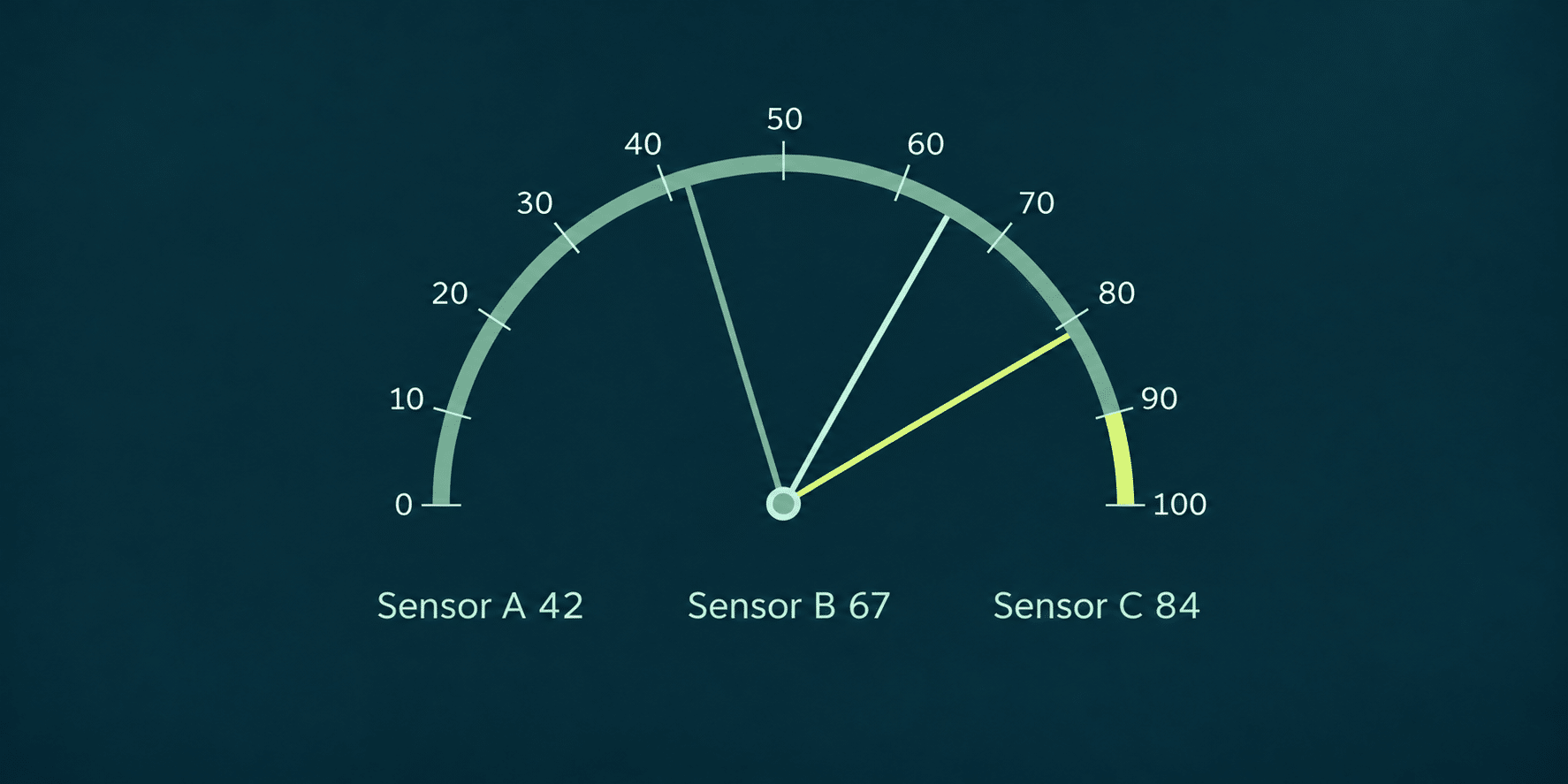
The Multi Gauge brings several comparable measurements together on a single dial. Each value is represented by its own needle on a shared scale, allowing users to compare similar assets or signals without switching between separate gauges.
The common scale is what makes the comparison useful. Choose related measurements with suitable units and ranges so users can interpret the needle positions meaningfully, then use the display to identify differences that deserve a closer look in their operating context.
Why it helps
This makes differences and imbalances easier to recognize at a glance. By combining related measurements in one compact visual, Multi Gauge helps users identify differences between equipment and focus attention where it is needed, while keeping dashboards clear and space-efficient.
At a glance
Where it can help
Put it to work.
Illustrative use cases to help you explore the possibilities.
Compressor stations
Operators compare discharge pressures across parallel compressors on one dial. Differences are easier to recognize on a shared scale, helping the team decide which unit to inspect alongside its load, control state, and recent operating history.
Manufacturing utilities
Engineers compare supply temperatures across comparable water loops. The shared dial provides a compact reference during an operational review and helps identify a loop that differs from the others for further investigation.
Packaging operations
Supervisors compare throughput across similar lines using a common production scale. The display supports a quick conversation about relative output before the team examines product mix, downtime, or operating constraints that may explain the difference.
Ask Amitec about compatibility, configuration and any integration requirements for your environment.