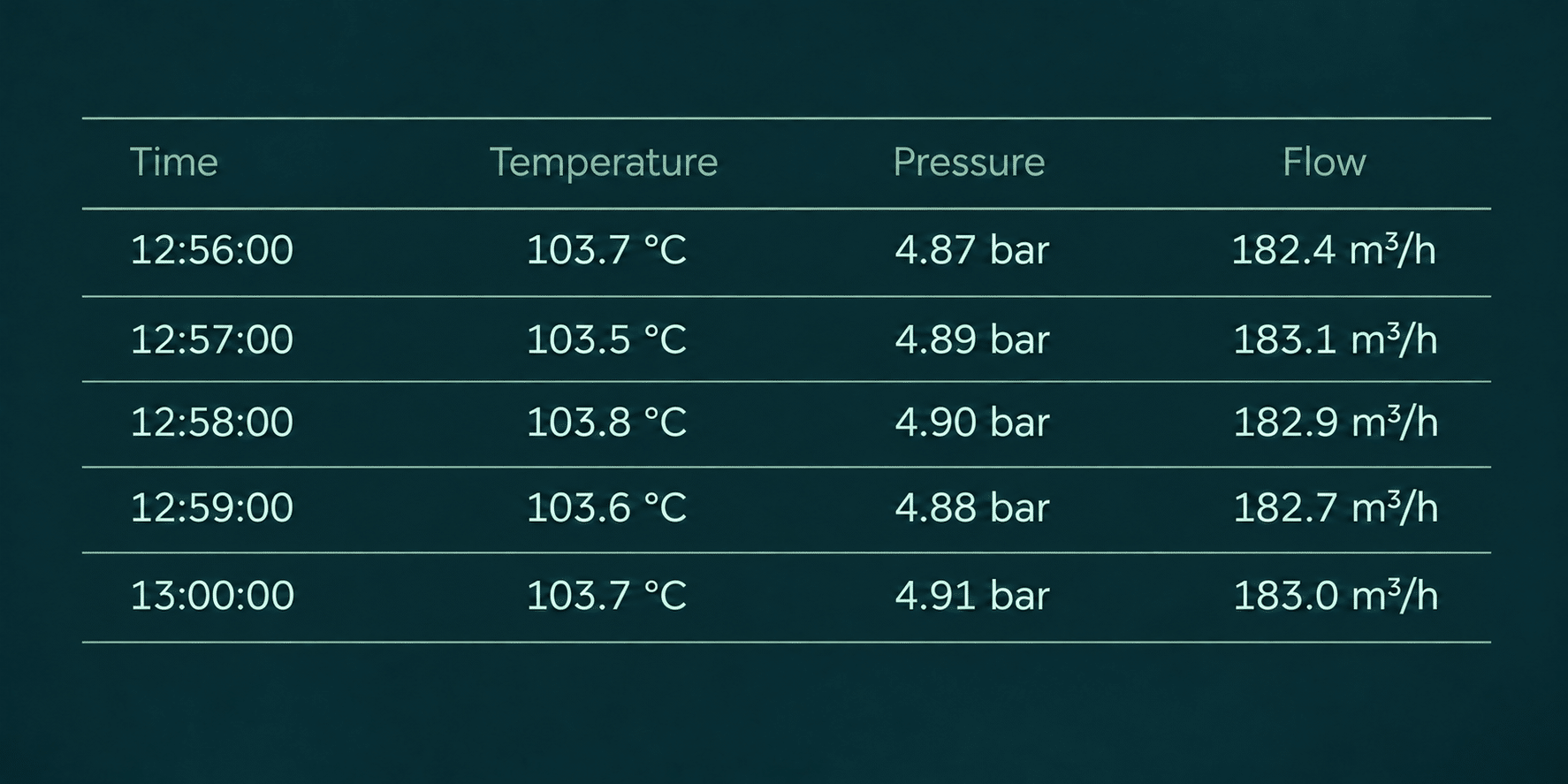
What it does
Get closer to the values behind the chart
Audio Warn brings an additional layer of attention to PI Vision dashboards by adding sound to configured conditions. When defined limits are reached, an audible warning is triggered alongside visual feedback, helping operators notice changes even when screens are busy or their attention is divided between several tasks.
Use Audio Warn to give selected conditions an additional channel of attention alongside the measurements and status indicators already on the display. It is particularly useful in shared monitoring environments, where operators need to divide their attention between several assets, conversations, and routine tasks.
Why it helps
By turning selected conditions into an audible cue, Audio Warn addresses a common operational challenge: a significant change can be easy to overlook in a busy visual environment. It helps teams recognize when a reading deserves attention and begin investigating sooner, supporting a more responsive monitoring workflow.
At a glance
Where it can help
Put it to work.
Illustrative use cases to help you explore the possibilities.
Hydropower control rooms
Operators monitor reservoir levels, turbine output, and equipment states across several displays. An audible cue at a configured threshold draws attention to the relevant condition, helping the team begin checking the affected unit while retaining the wider plant overview.
Food and beverage packaging
Supervisors watch several lines while coordinating production. Audio Warn can highlight a stopped line or a reject-rate threshold, making it easier to notice the change and check whether maintenance, materials, or a process adjustment needs attention.
Industrial utilities
A shared utilities dashboard tracks steam pressure and cooling-water conditions. Configured alerts add an audible cue when a measurement crosses a selected limit, helping operators locate the reading and compare it with related signals before deciding on follow-up.
Ask Amitec about compatibility, configuration and any integration requirements for your environment.
Keep exploring
Related capabilities.
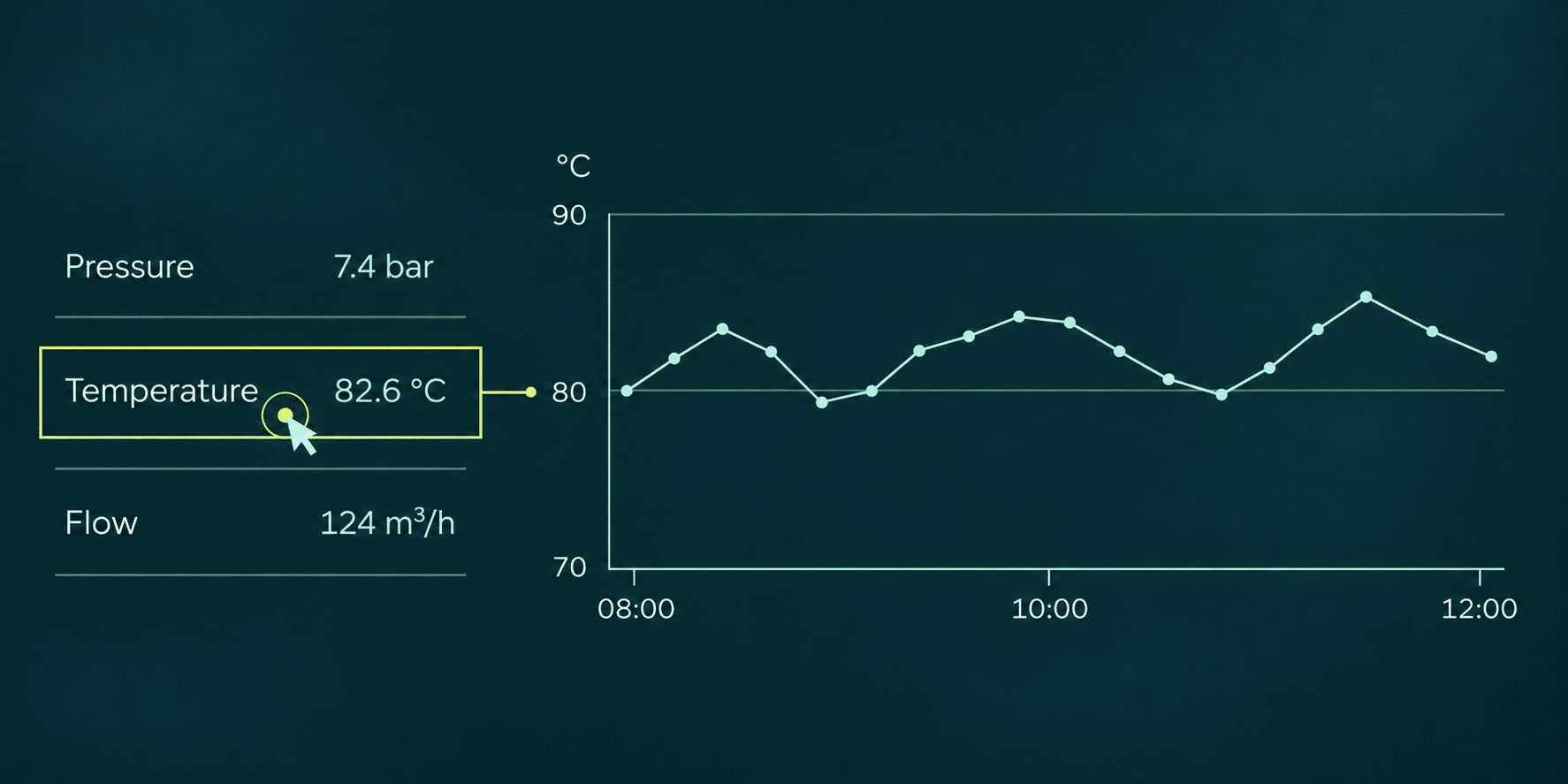
ClickTrend shows historical values from supported symbols with a single click, helping users review a reading while keeping the surrounding PI Vision display in view.
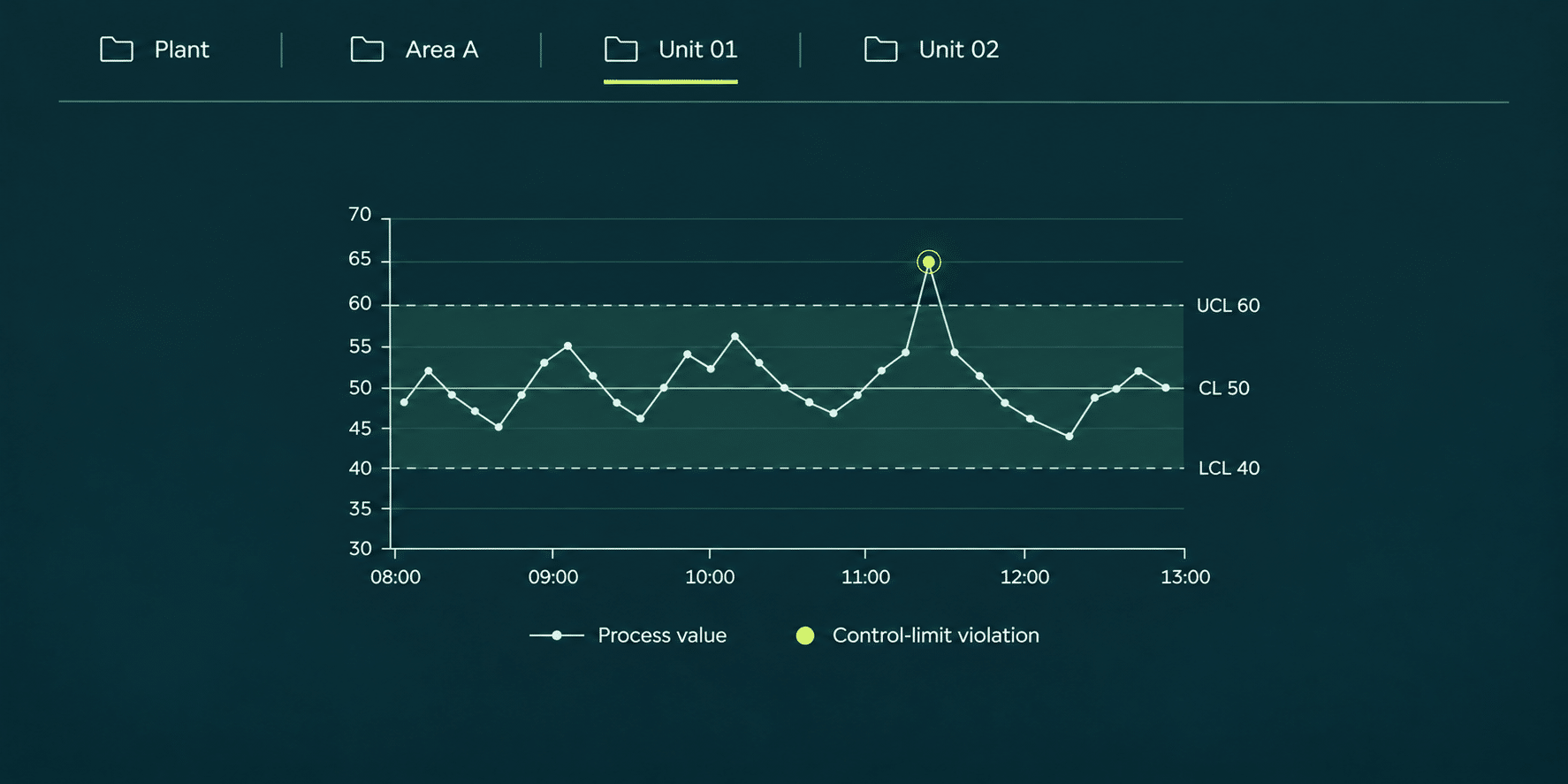
Navigation Menu adds a consistent menu to PI Vision displays, helping users move between related operational views.
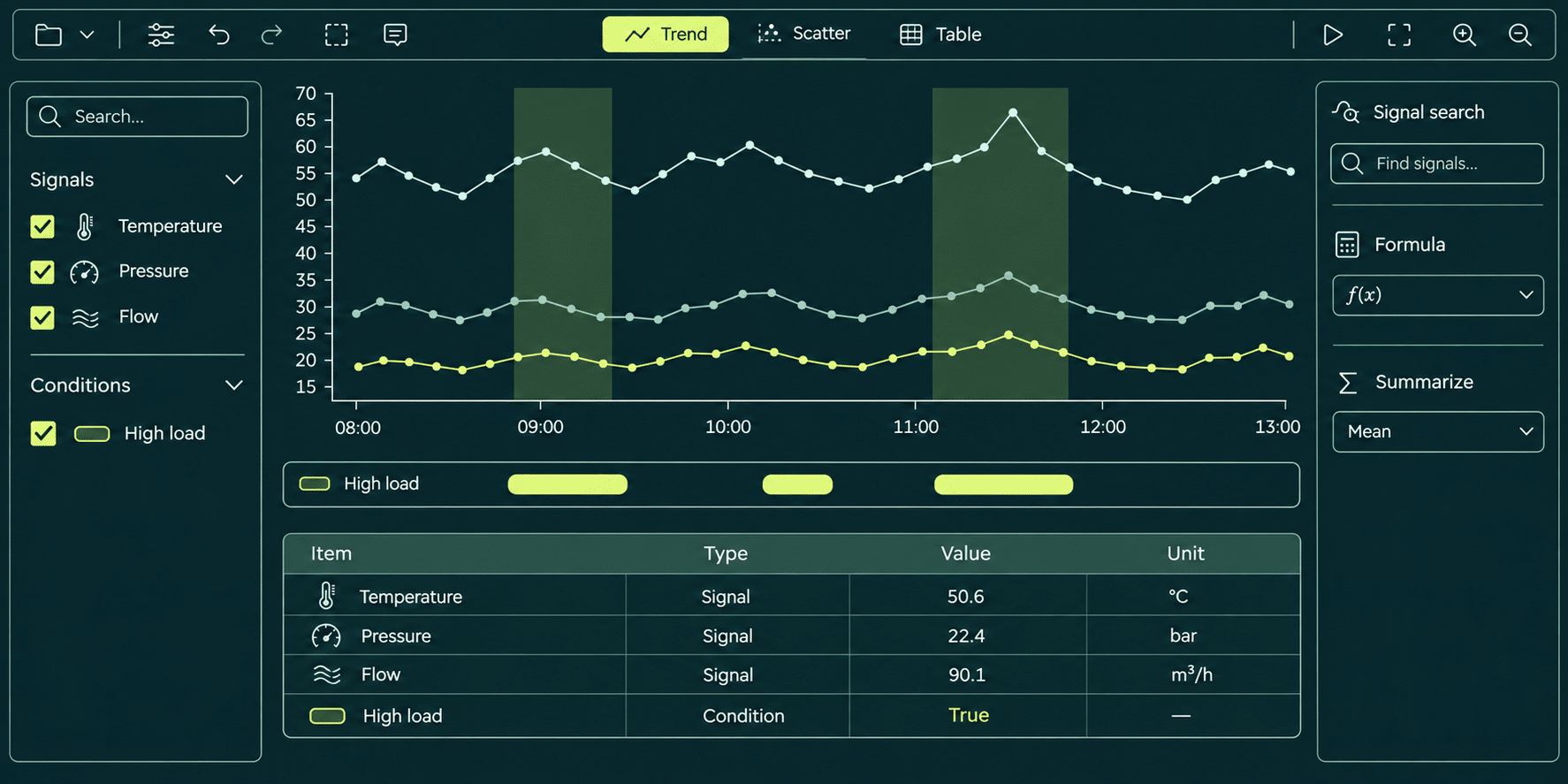
Seeq Visual Workbench embeds supported Seeq content in PI Vision, helping users review analytical findings alongside operational data.