PI Tag Optimization
Exception and compression tuning for the AVEVA PI System

Many PI archives still run on the exception and compression settings from commissioning day. PI tag optimization turns them into decisions.
PI tag optimization means setting the exception and compression attributes of every PI point so that your AVEVA PI System keeps the signal and drops the noise. Tuned well, the archive stays lean, and queries, PI Vision displays and analysis backfills run faster. Left untuned, it either floods the archive with noise or throws away the excursions you need for root cause analysis.
Amitec tunes PI archives with Archive Health, a module of the Amitec Industrial Knowledge Graph (IKG). Archive Health reads the exception and compression configuration of every PI point, gives each tag a verdict and proposes new values only where the configuration condemns itself. Every recommendation passes a four-eyes approval before export, and IKG never writes to your PI System.
Two gates between sensor and archive
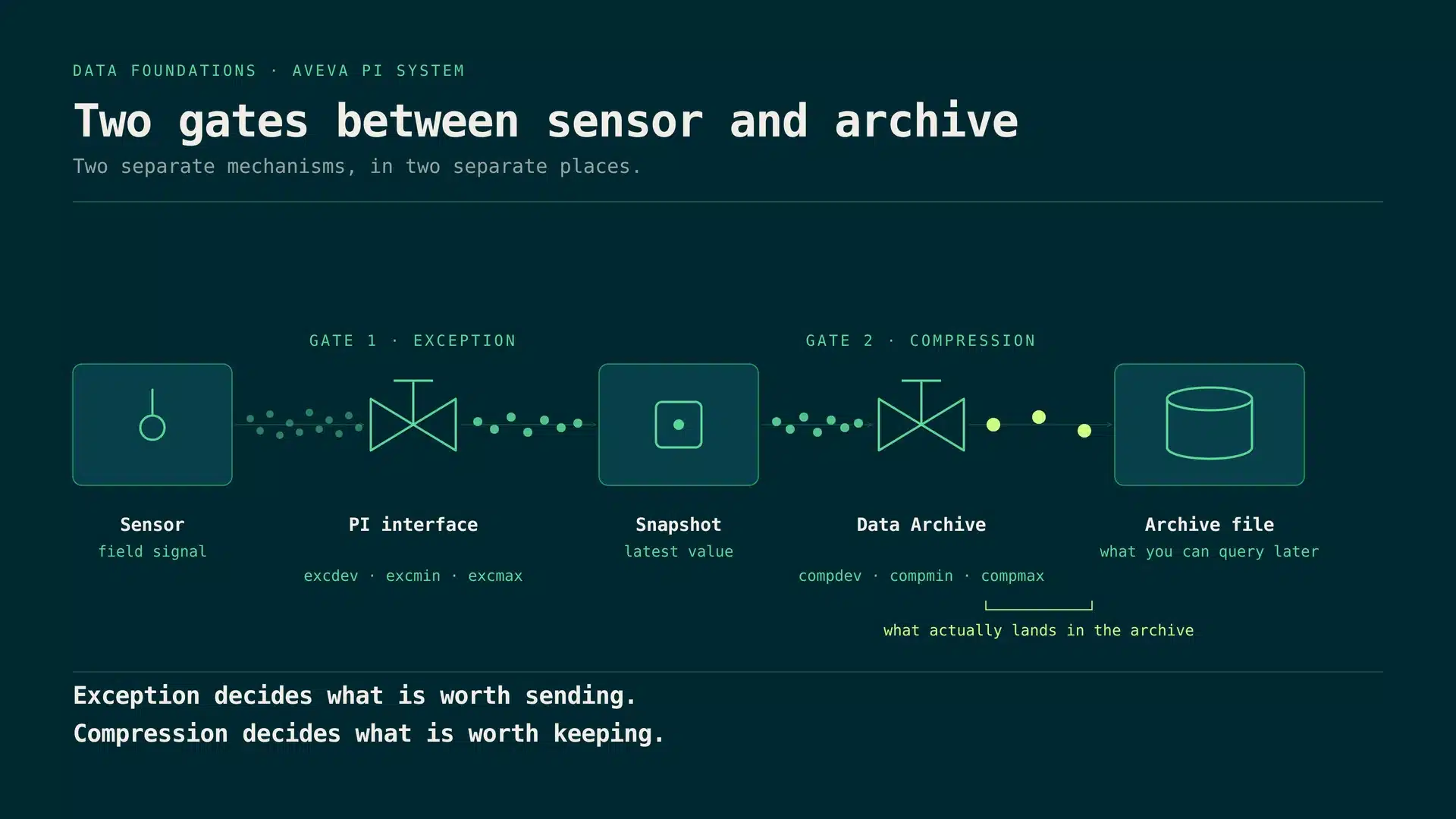
Every value a sensor produces passes two gates before it reaches the PI Data Archive. Exception reporting runs at the PI interface and decides which values are worth sending at all. Compression runs in the Data Archive and decides which of the received values are worth keeping. Both are controlled per PI point by a handful of attributes, and together they decide what your archive can answer later.
Tuning only one gate, or neither, is the most common root cause of poor archive quality. One detail matters for newer data paths: according to AVEVA, PI Connectors do not run exception tests, and AVEVA Adapters filter with their own deadband settings instead of the point attributes. On those paths, compression is the gate your point configuration controls.
Exception reporting: the deadband
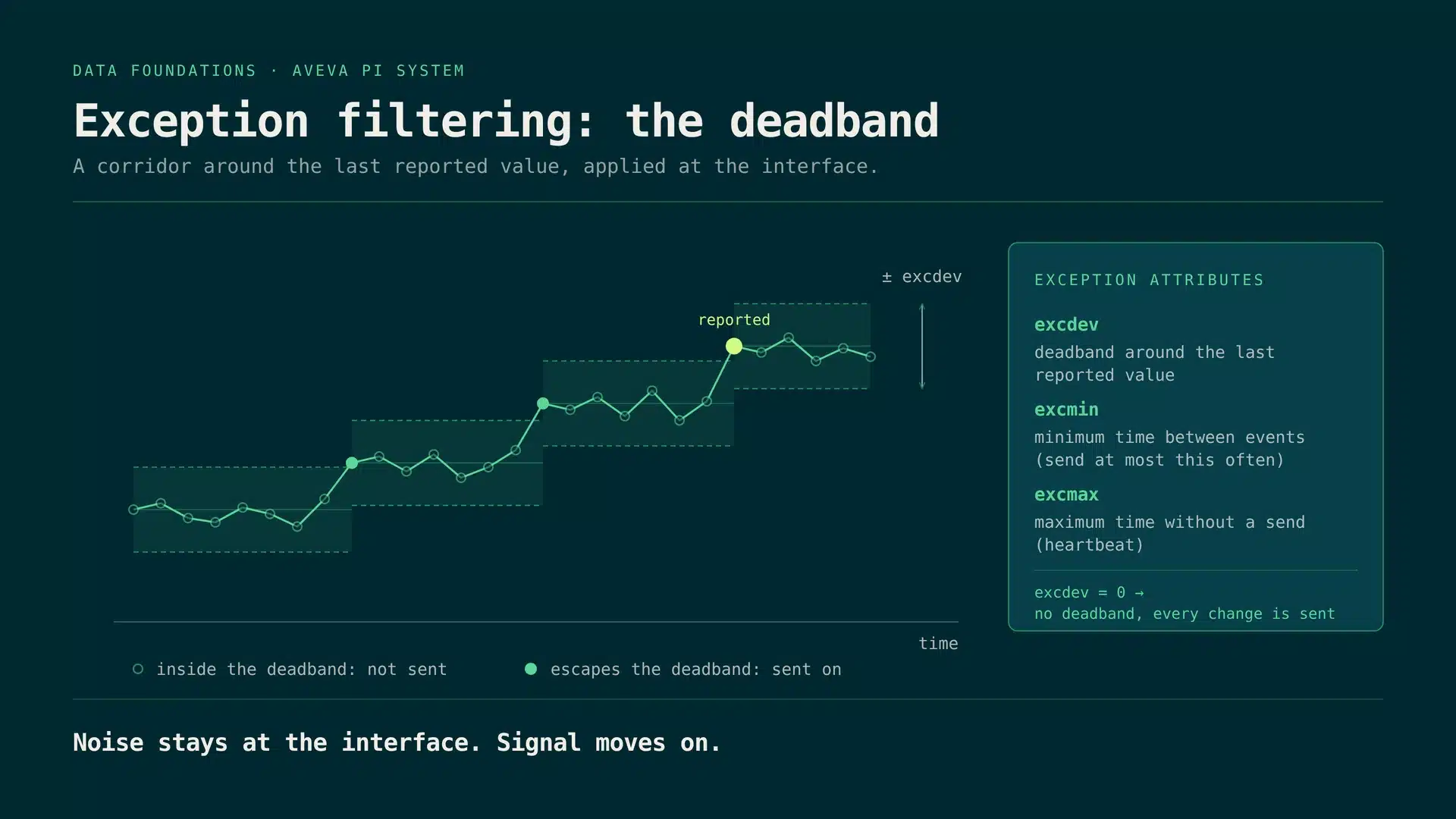
The interface keeps a deadband around the last reported value, defined by excdev or, as a percentage of the point span, by excdevpercent. Values inside the corridor count as noise and are not sent. A value that escapes the corridor is reported, together with the value before it, so the trend stays accurate. excmin limits how often values may be sent, and excmax guarantees a heartbeat when the signal is flat.
AVEVA recommends setting the exception deviation slightly below the precision of the instrument. With excdev at 0 there is no deadband, and every change is forwarded.
Compression: the swinging door
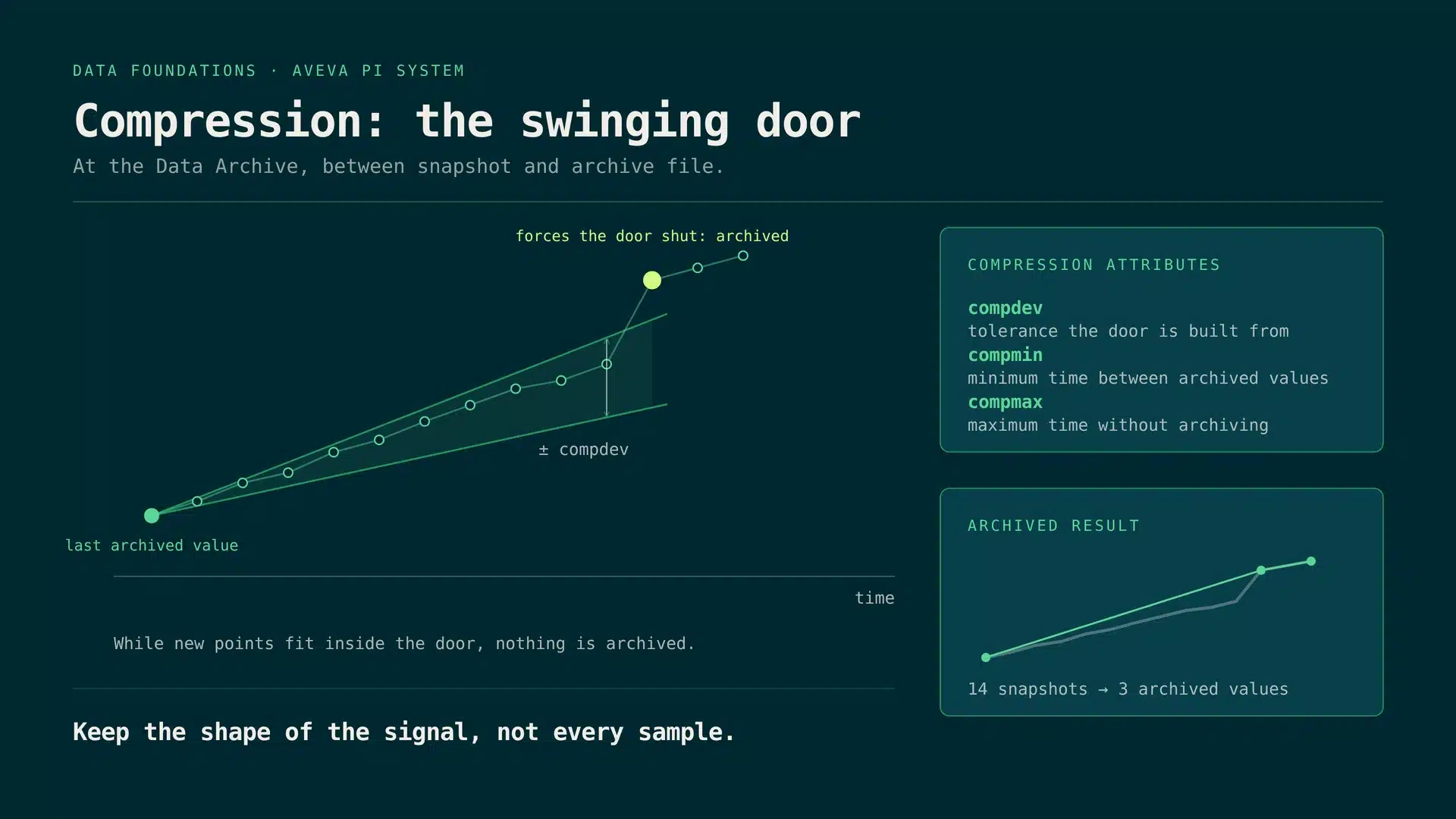
The Data Archive applies swinging door compression. Starting from the last archived value, it builds a door with the tolerance compdev. As long as new snapshots fit inside the door, nothing is archived. Only a value that forces the door shut is written to the archive file. The shape of the signal survives, the redundant samples in between do not.
compmin sets the minimum time between archived values and should stay at 0 when exception reporting is active. compmax forces an archived value after a maximum quiet time. For tags with the Step attribute on, PI does not use the swinging door: it archives a new value when it differs from the last archived value by more than compdev.
Tuned wrong: both directions cost you
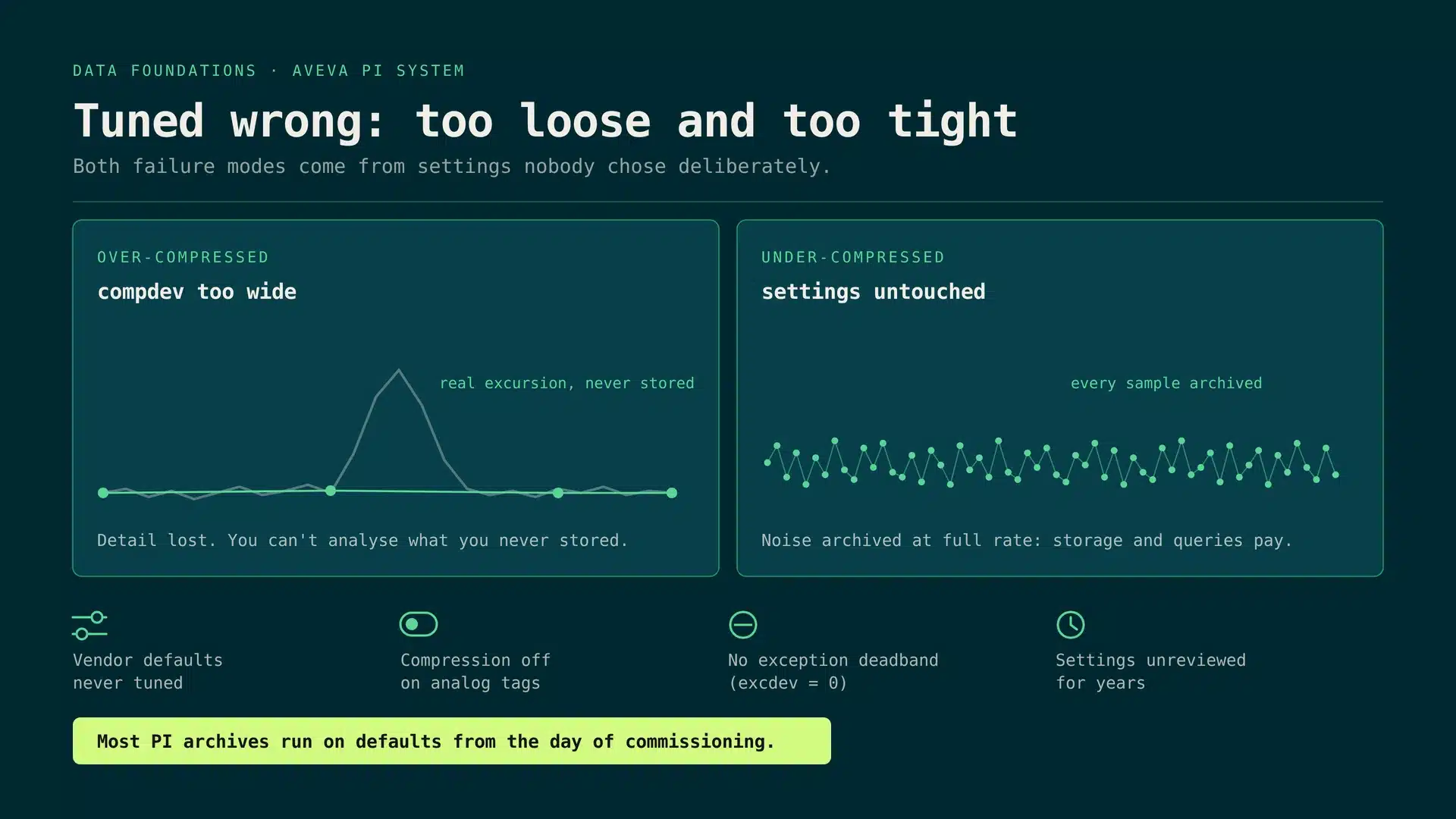
Over-compressed means compdev is too wide: real excursions are never stored and cannot be analysed afterwards. Under-compressed means the settings were never touched: noise is archived at full rate, and storage, backups and every query pay for it. Neither failure mode is usually a deliberate choice. Both come from defaults that nobody revisited after commissioning.
AVEVA links poorly filtered data to slow queries, query timeouts, slow PI Vision displays and long analysis backfills. In an offshore oil and gas pilot that AVEVA presented at AVEVA World 2023, exception reporting alone cut the data sent over the wire by about 70 percent, and exception plus compression cut the data stored in the Data Archive by about 94 percent.
Best practices for PI tag optimization
Seven rules we apply on every archive we tune:
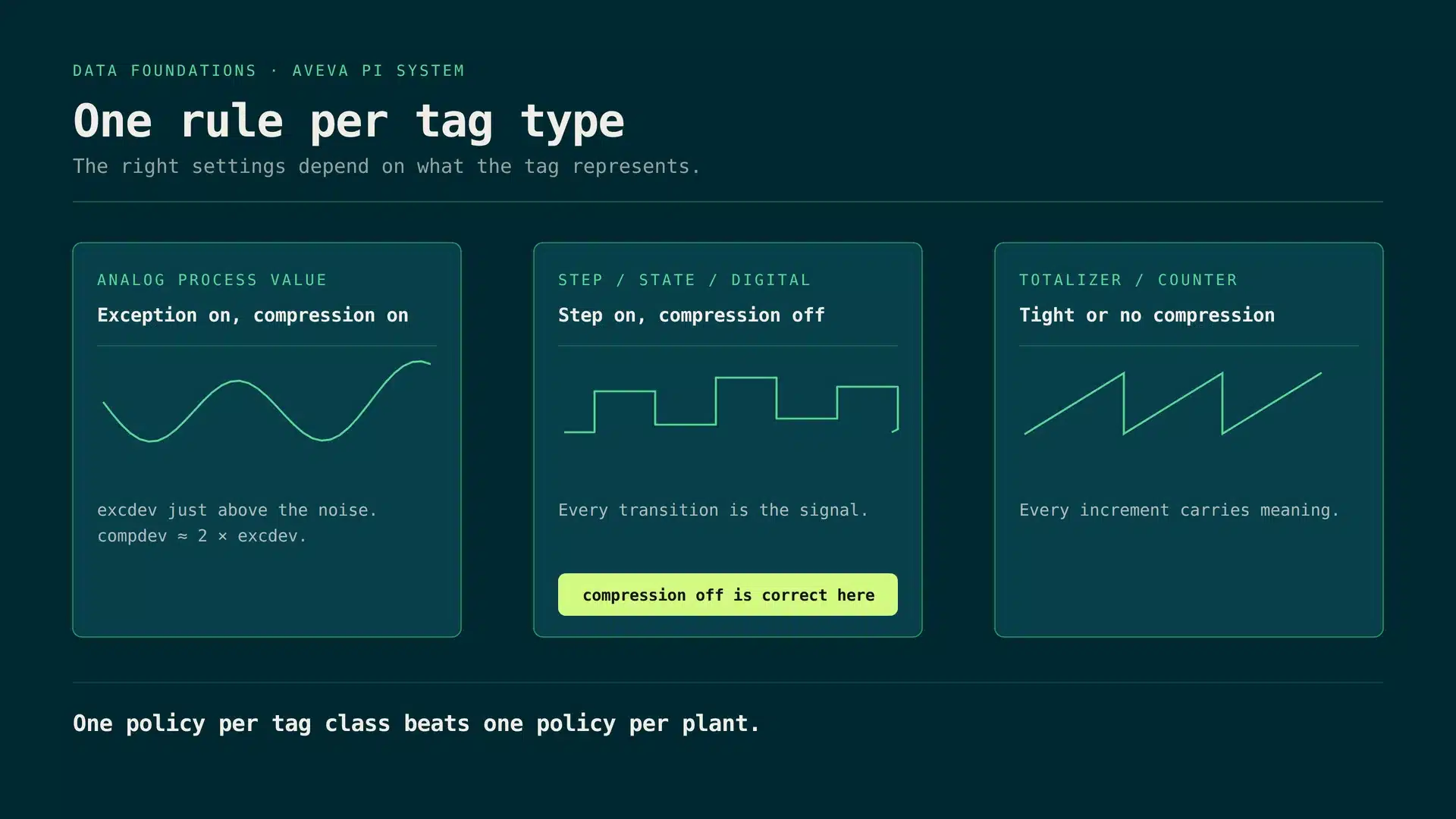
One rule per tag type
The right settings depend on what the tag represents. Analog process values run with exception and compression on, with excdev just above the noise and compdev at about twice excdev. Step, state and digital tags must keep every transition, so running them with compression off is legitimate. Totalizers and counters need tight or no compression, because every increment carries meaning. One policy per tag class beats one policy per plant.
The time limits are the safety net. excmin throttles bursts at the interface, while excmax and compmax make sure a flat signal still checks in. A flatlined tag without a heartbeat is indistinguishable from a dead interface.
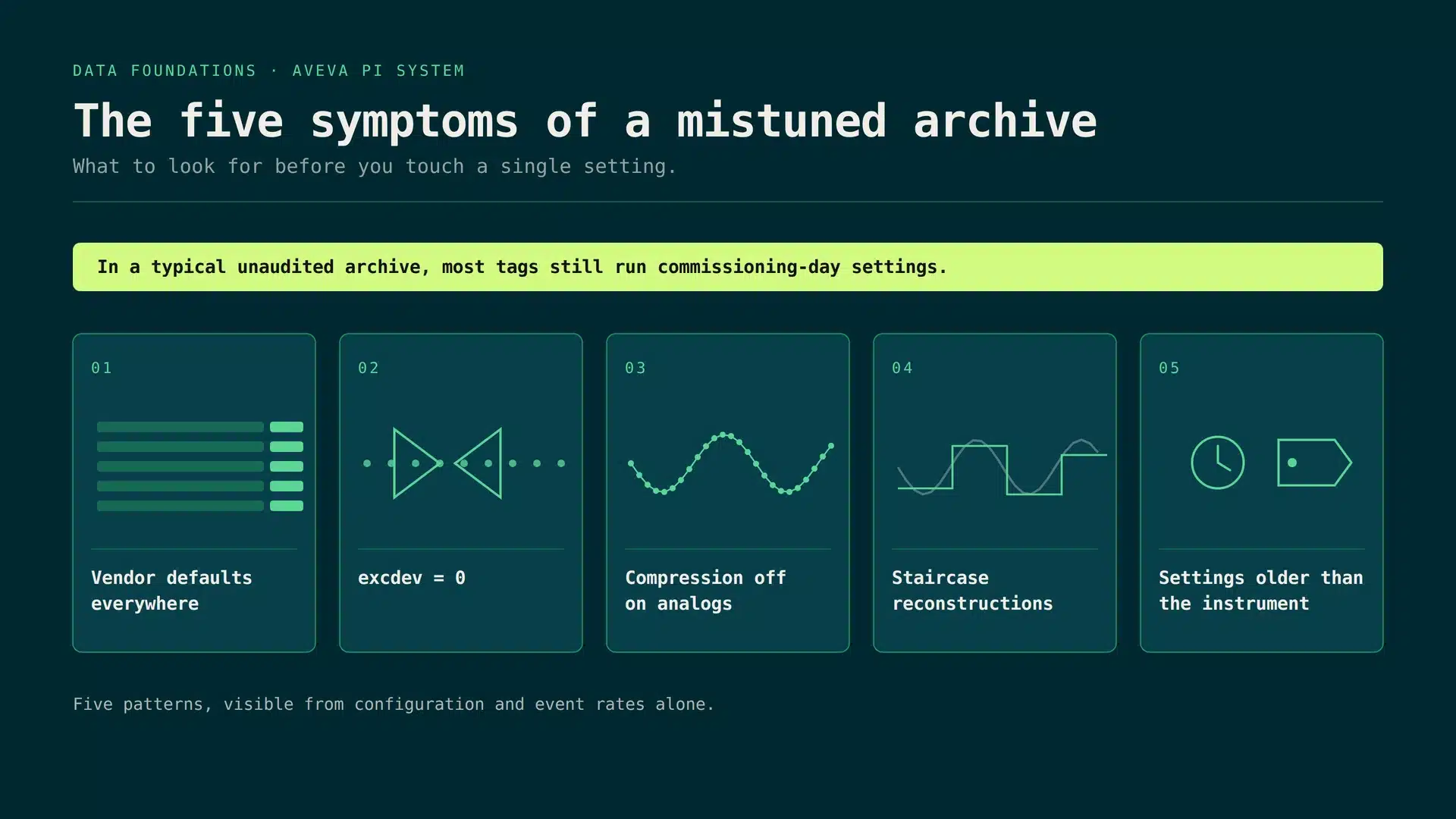
The five symptoms of a mistuned archive
You can spot a mistuned archive before you touch a single setting. All five symptoms are visible from point configuration and event rates alone:
- vendor defaults on every tag
- excdev at 0, so there is no exception deadband
- compression off on analog tags
- staircase reconstructions in trends
- settings older than the instrument they belong to
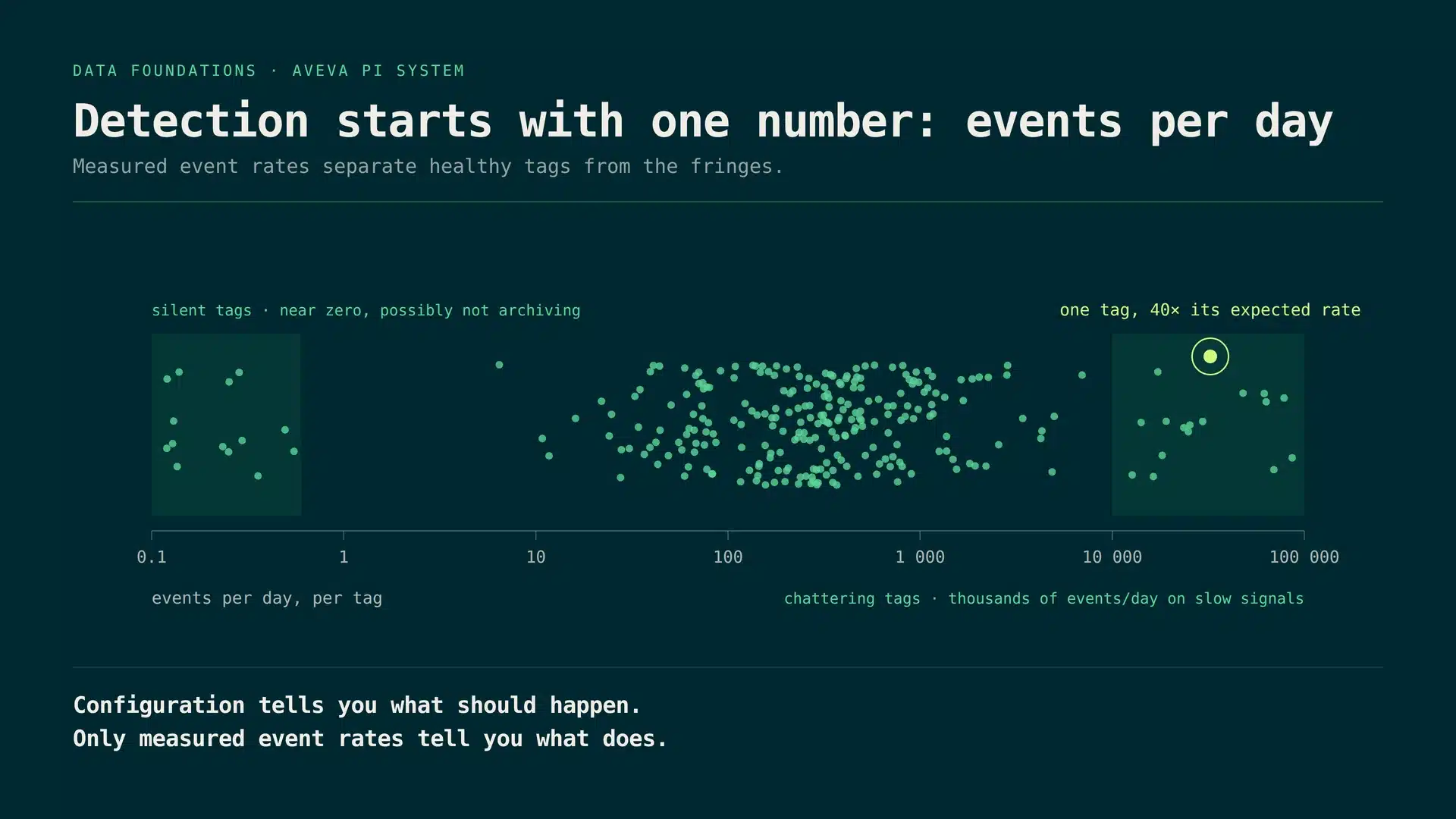
Detection: measure, then judge
Configuration tells you what should happen. Only measured event rates tell you what does. Plotting archived events per day for every tag exposes the fringes at a glance: silent tags near zero that may not be archiving at all, and chattering tags producing thousands of events per day on slow signals.
Comparing received snapshots with archived events gives the compression ratio per tag, the direct measure of how well the swinging door works for that signal.
Archive Health in the Amitec IKG
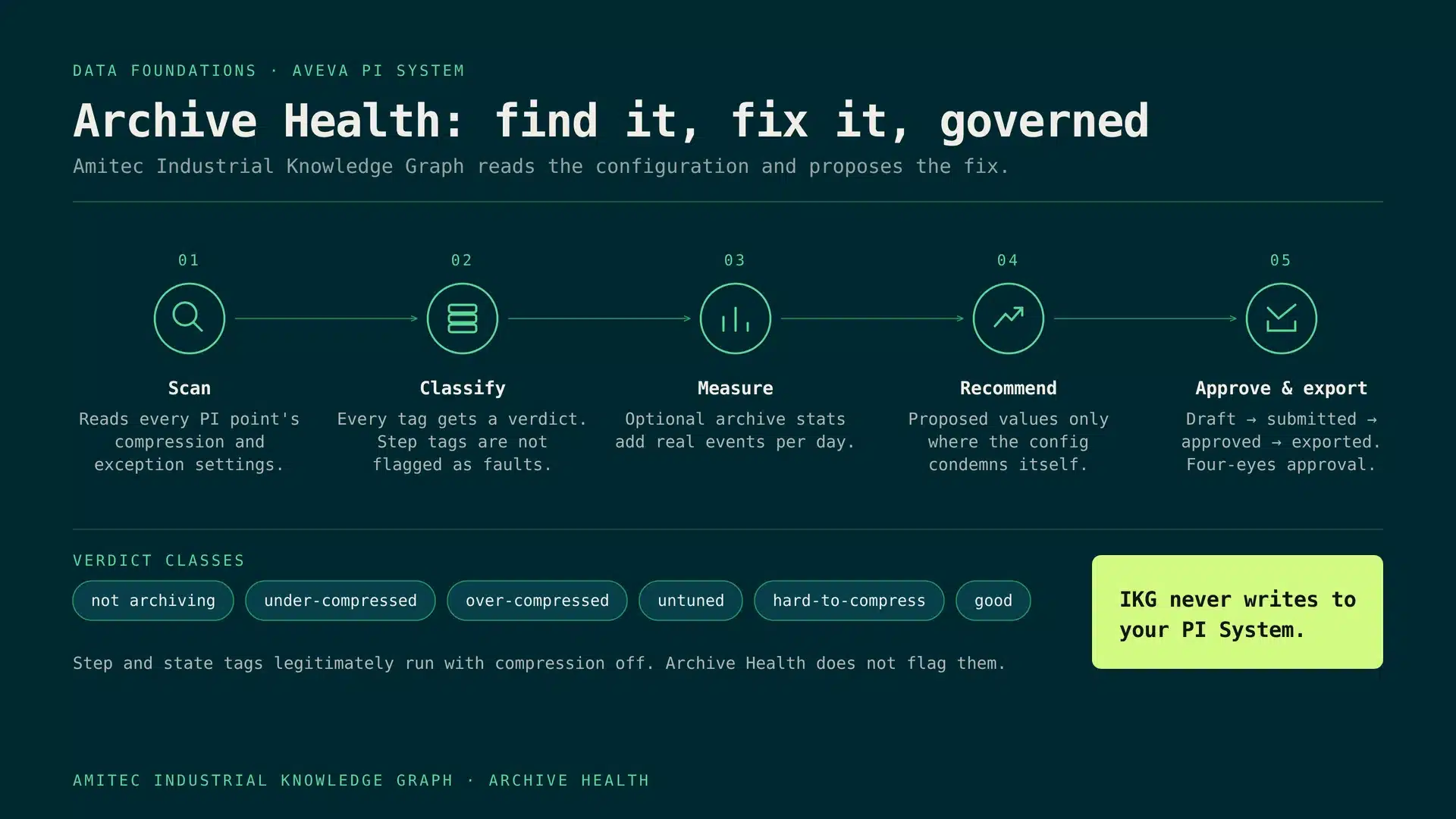
Archive Health turns these best practices into a repeatable loop inside the Amitec Industrial Knowledge Graph:
1. Scan. Read the exception and compression settings of every PI point.
2. Classify. Give every tag a verdict: not archiving, under-compressed, over-compressed, untuned, hard-to-compress or good. Step and state tags are screened first and are not flagged as faults.
3. Measure. Optional archive statistics add real events per day per tag.
4. Recommend. Propose new values only where the configuration condemns itself, with the projected effect on events per day and storage per year.
5. Approve and export. Draft, submitted, approved, exported: every change passes a four-eyes approval and leaves as a change file for your PI administrator.
Read-only by design: IKG never writes to your PI System. Your PI administrator applies the approved changes under your own change control.
The calculations behind Archive Health
Archive Health derives its verdicts from the tag configuration itself and, where enabled, from measured archive statistics:
How a PI tag optimization runs
Tag optimization is not a one-off clean-up. Instead of one engineer with point configuration exports and spreadsheets every few years, Archive Health runs the same work as a standing audit:
Frequently asked questions
What is the difference between exception and compression in the PI System?
Exception reporting is a simple deadband test at the PI interface that decides which values are sent to the Data Archive. Compression is the swinging door test in the Data Archive that decides which of the received values are stored in the archive file.
Does changing compression settings change data that is already archived?
No. Exception and compression settings apply to new values as they arrive. Data that is already in the archive stays as it is, which is why it pays to tune before the next incident rather than after it.
What is a good starting value for compdev?
Start from the instrument, not from a percentage of span. AVEVA recommends an exception deviation slightly below the instrument precision and at least a factor of 2 below the compression deviation, so compdev at about twice excdev is a common starting point. Check the effect on a pilot tag group before you roll it out.
Do PI Connectors and AVEVA Adapters use the exception settings?
According to AVEVA, PI Connectors do not run exception tests, and AVEVA Adapters filter with their own deadband settings instead of the point attributes. Compression in the Data Archive still applies.
Does Archive Health change anything in our PI System?
No. IKG reads the configuration and, where enabled, archive statistics. Approved recommendations are exported as a change file, and your PI administrator applies them. For hands-on help, see PI System support and our work as AVEVA PI System integrator.